
Catalog your CD and DVD collection
When your CD collection outgrows all the available shelves of your bookcase, you know it's time for a bit of organization. And the easiest way to organize a CD collection is by creating a catalog.
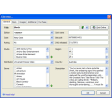
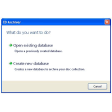
Visual CD enables you to create that CD catalog in just a few simple steps. Insert the disk into the CD drive, let Visual CD index its contents and save it as a fully searchable catalog. This means that you can later on explore, search and find files that are saved on CD even if the physical disc is not in the drive.
Visual CD doesn't work only with CD: it also supports DVD, floppy disks, removable hard drives and even folders in your system hard drive. What strikes me is the fact that each drive you explore must be saved as a new catalog, whereas other similar tools save explored drives as categories inside one single catalog.
The program features also very interesting advanced functions such as a duplicate files finder, a file splitter, a photo renaming tool, a playlist generator and a thumbnail maker, among others.
Visual CD lets you save the contents of your CD and DVD in separate catalogs so that you can browse and search your collection without having to insert each disk one by one






























User reviews about Visual CD
by Anonymous
East to use and user friendly software to catalog CDs.
It is easy and best software to index CDs and helps to search the needed software or movies using search option. It is a must utility for indexing CD